Duplicate student accounts cost the support team thousands of hours annually. I designed and shipped a self-serve merge tool that let school administrators resolve duplicates on their own — eliminating the need to contact support and saving significant operational cost.
Duplicate student accounts accumulate over time — students re-enrolling after a gap, parents entering slightly different details across years, or schools transferring records. These duplicates fragment critical data across sports history, medical clearances, parent forms, and enrollment records.
Before this feature existed, resolving a duplicate required school staff to contact the support team directly. Support would then perform the merge manually on the backend. As the district count grew, this became unscalable — consuming significant engineering and support resources every year with no self-serve option in sight.
My role
Sole designer, end to end
I was the only designer on this project, working alongside a team of 3 engineers. I owned the full design process — from initial discovery through QA and launch — and was directly responsible for the engineering handoff.
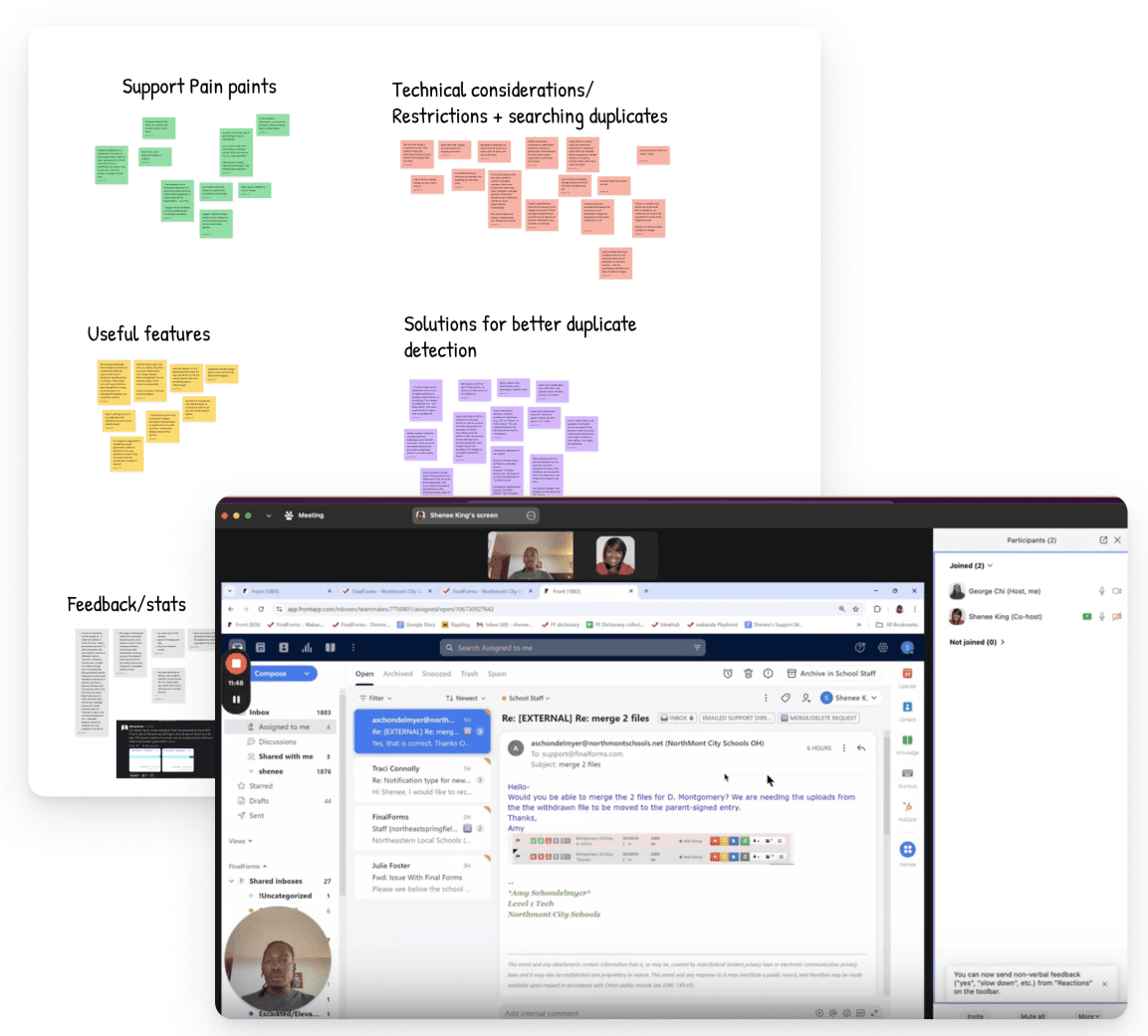
Interviewed engineers, support staff, and internal team members who dealt with merge requests regularly. Goal: understand the technical constraints, how duplicates were created, and the pain on both the school and support side of the queue.
2
Affinity mapping & competitive research
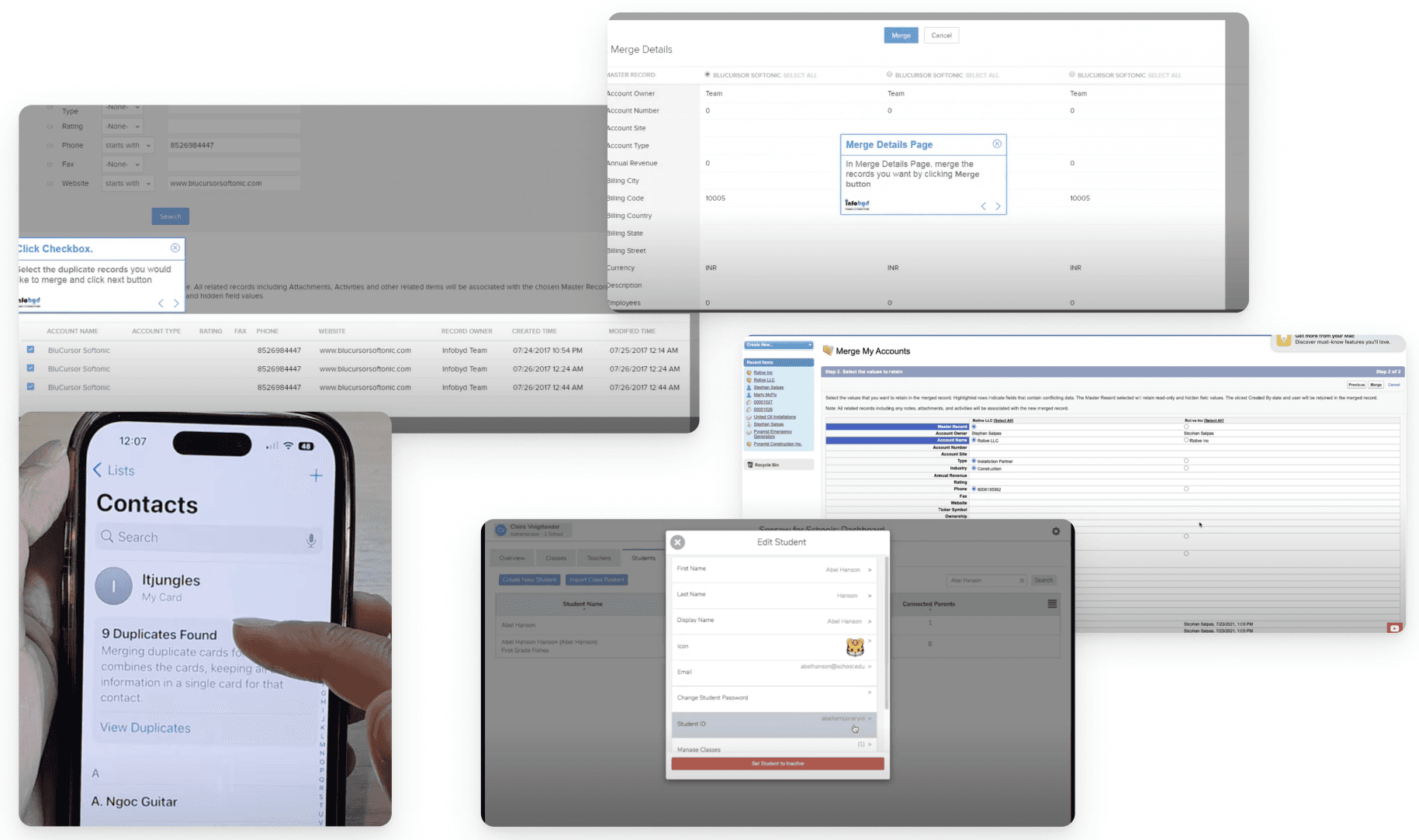
Synthesized findings into an affinity board to identify patterns. Audited how other student information systems handle record deduplication. Identified the key design challenge: how do you let a non-technical admin confidently pick a primary account and selectively merge field values?
3
Wireframing & internal testing
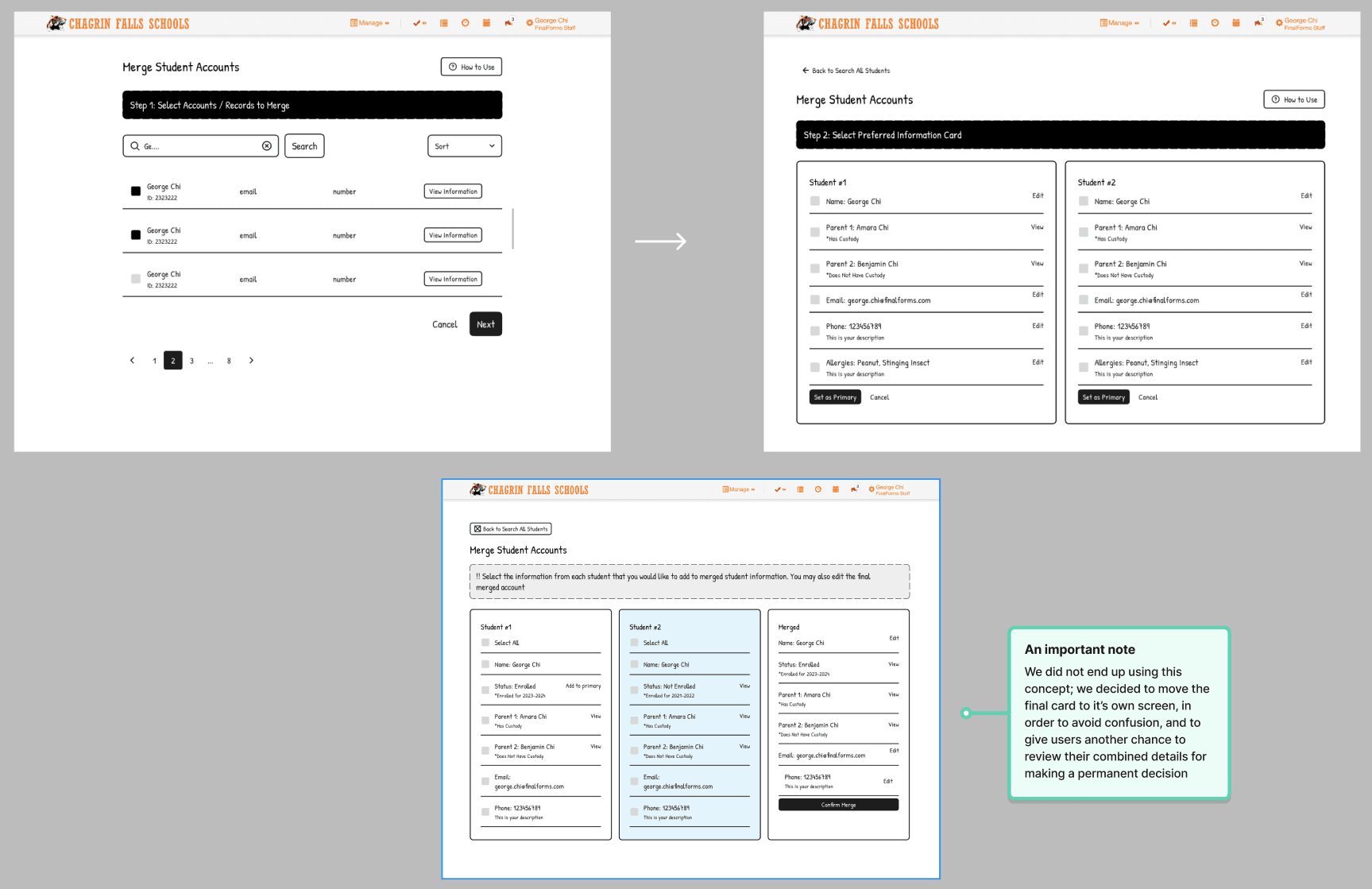
Sketched and iterated on low-fidelity wireframes. Ran internal usability sessions with FF staff to pressure-test the flow — particularly the primary account selection step and the field-by-field merge model — before investing in high-fidelity work.
4
High-fidelity design & prototype
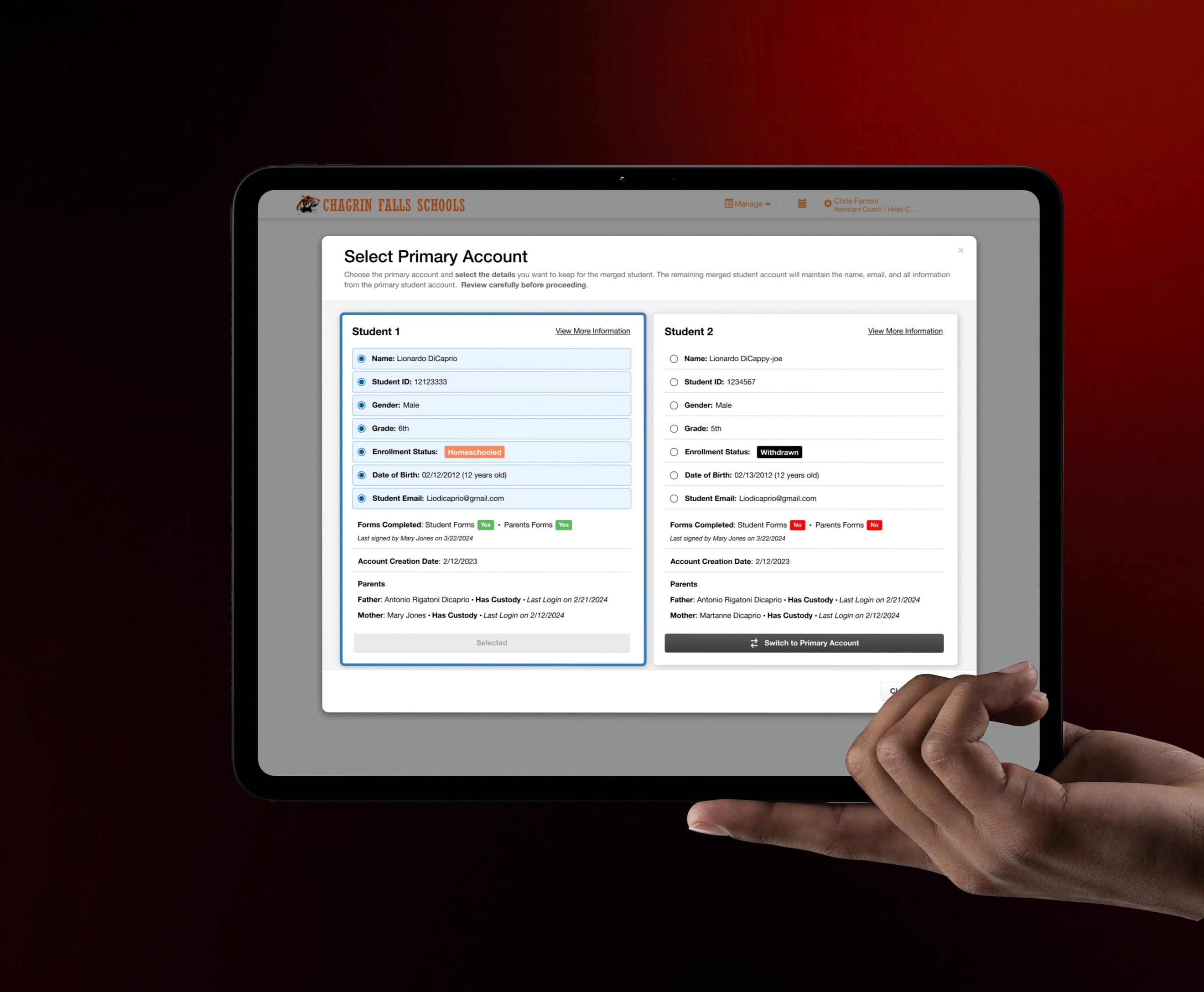
Built out a fully prototyped flow in the FinalForms 3.0 design system (WCAG AA compliant). Covered the full journey: duplicate list → side-by-side review cards → primary account selection → field-level detail selection → confirm merge → history log. Presented to CPO for approval before engineering handoff.
5
Engineering handoff & QA
Owned the full handoff to a team of 3 engineers — annotated specs, component documentation, edge case callouts, and interaction notes. Conducted QA testing throughout the build to catch implementation gaps before beta launch.
6
Beta testing & iteration
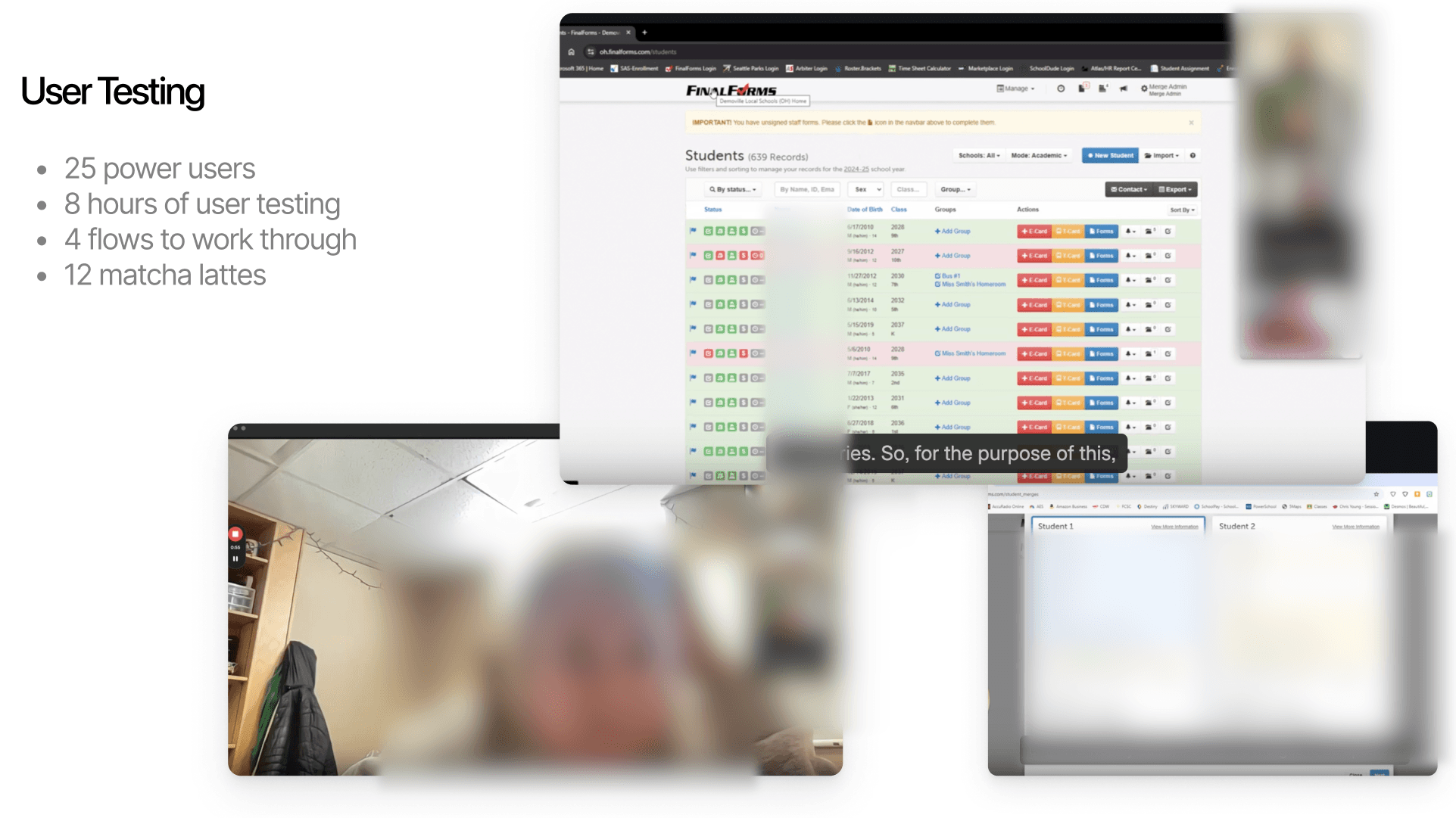
While engineering built in a test environment, I recruited 6 school districts across the country, selecting for varied technical literacy, roles, ages, and district size. Facilitated 6–8 group sessions (2–3 participants each). Documented and triaged all feedback, then shipped design updates before public launch.
Solution
What we built
A four-step self-serve interface inside the admin panel, accessible via Manage → Merge Students. Designed for registrars and admins of mixed technical literacy.
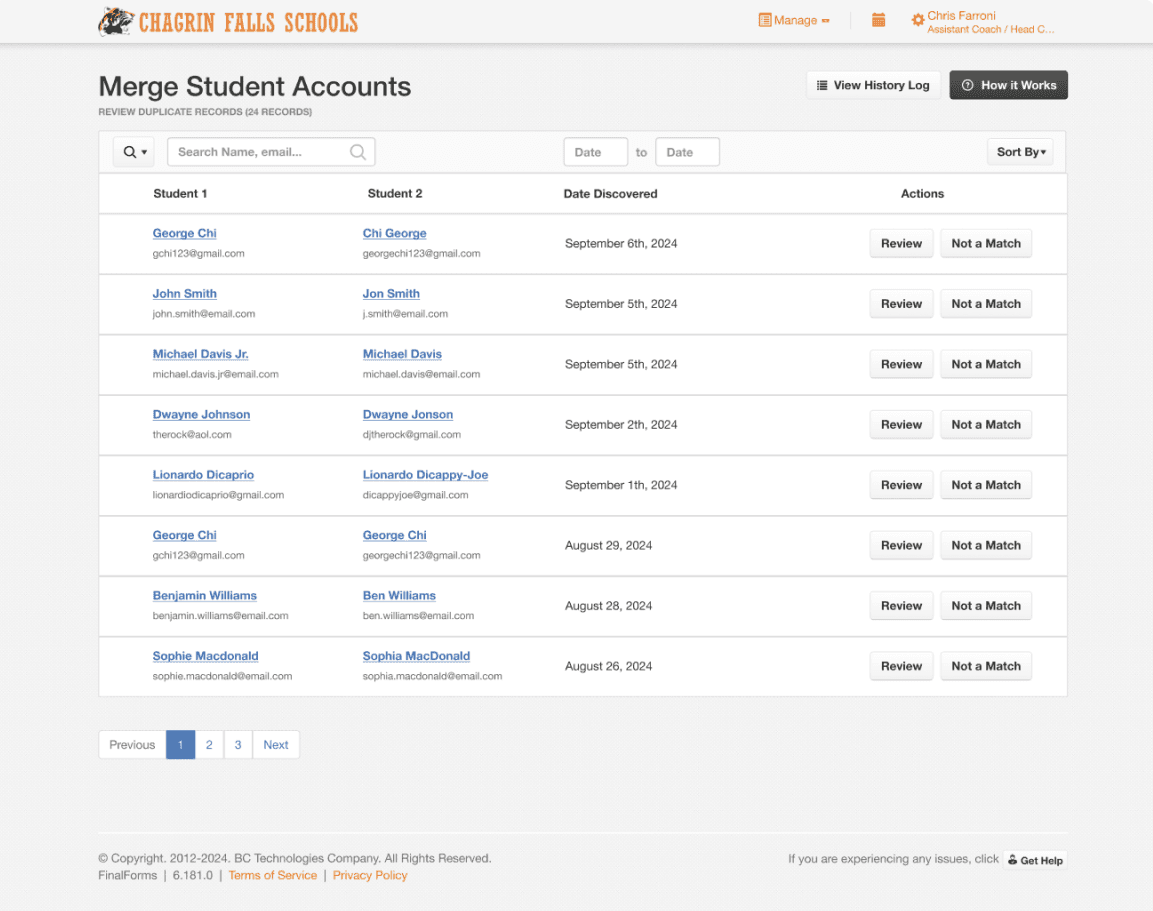
Duplicate queue
System-detected matches surface in a sortable list. Staff can also create a custom match manually using FFID — catching the outliers the algorithm misses.
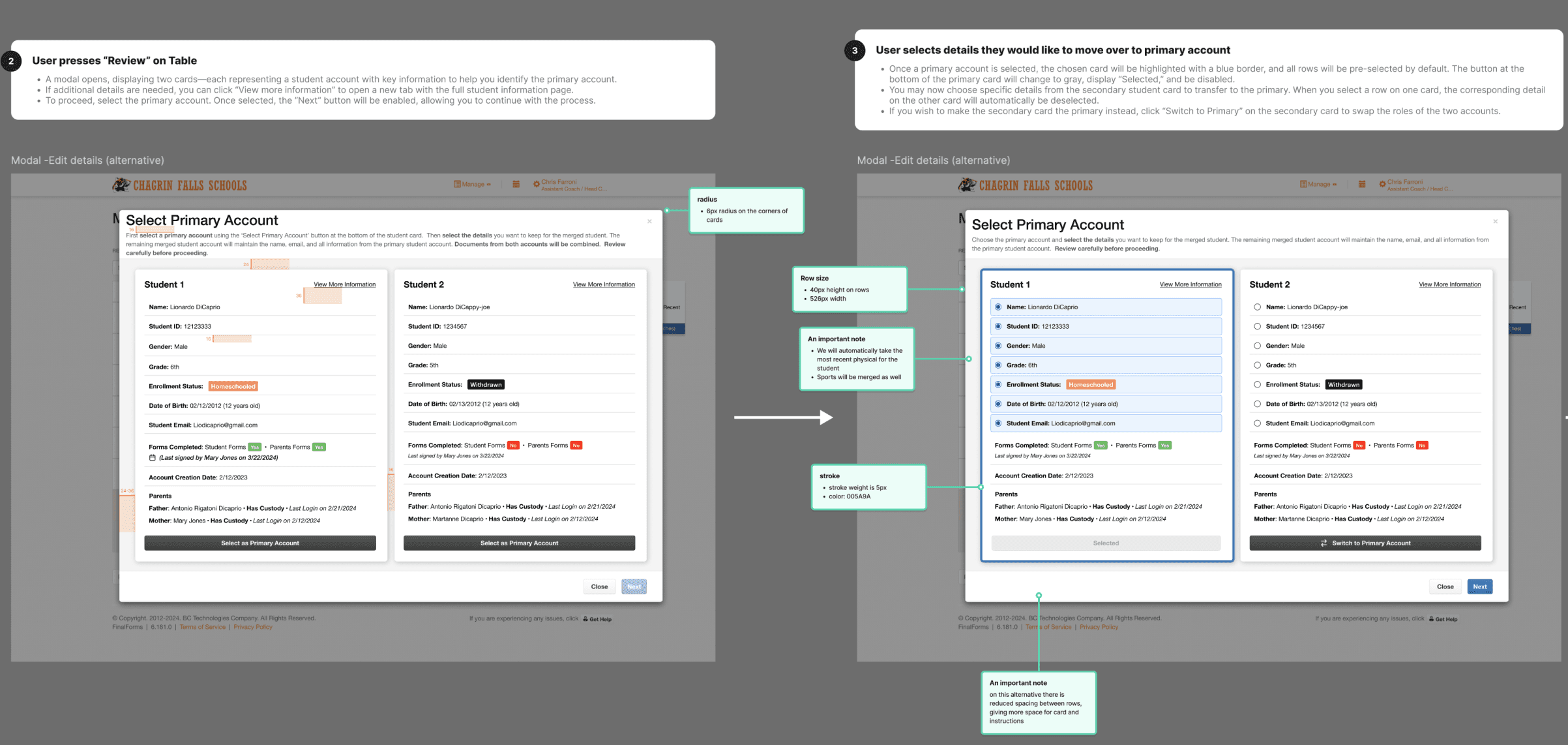
Side-by-side comparison cards
Two student records placed side by side with field-level radio selection. Users pick a primary account, then cherry-pick individual values to carry forward.
Confirm & merge
A review screen summarizes all selected values before the irreversible action. Most-recent clearances automatically carry forward. Explicit warning language added after beta feedback.
Merge history log
Full audit trail of every merge — who performed it, when, and what changed. Pre-filtered to show merged records first. One of the most praised features across all six beta groups.
Beta testing · January 2025
What we found
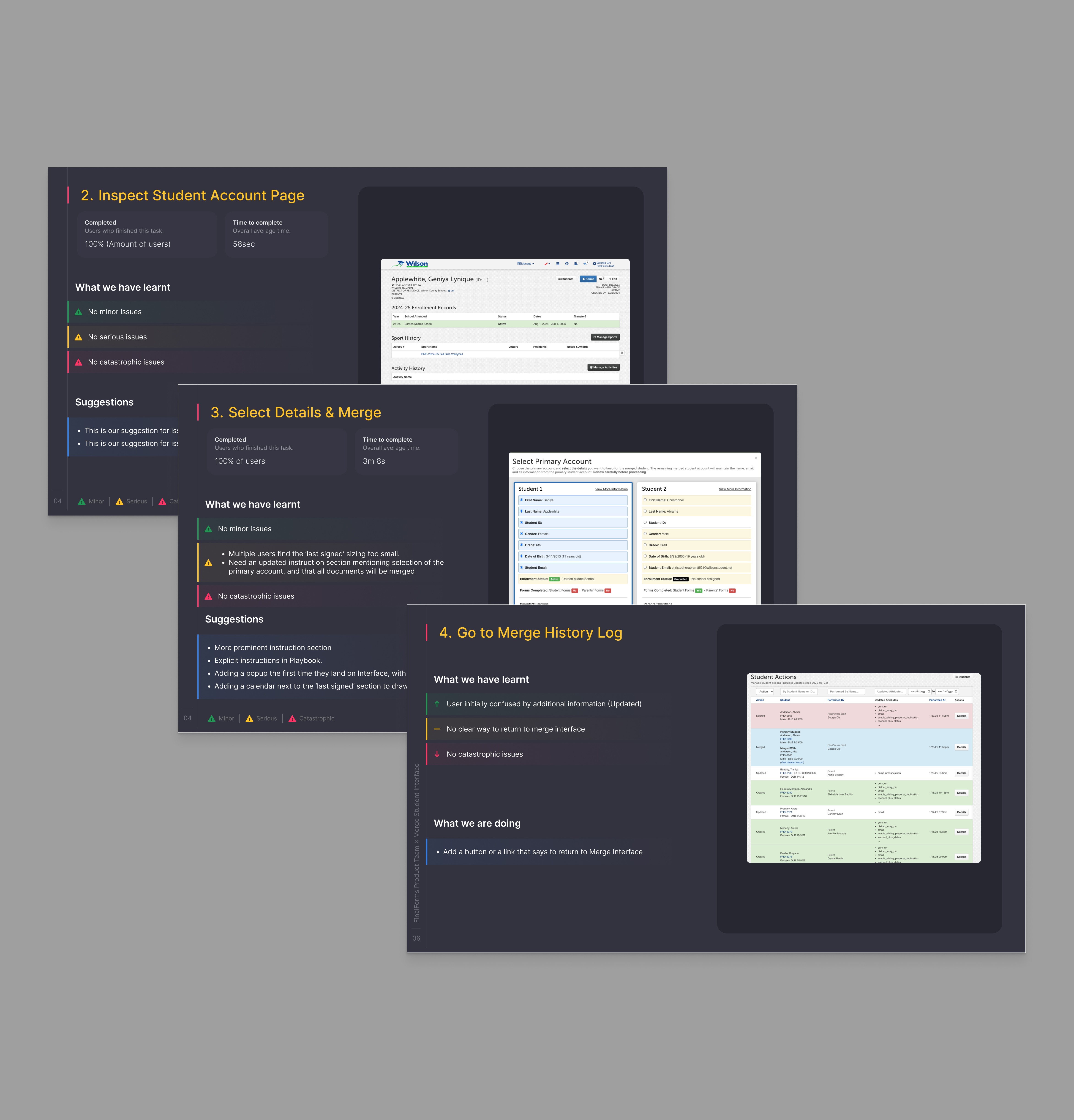
No path back to Merge Interface from History Log
Fix → Added a prominent "Back to Merge Interface" link on the history log page
"Last signed" date too small — missed by multiple participants
Fix → Increased type size and added a calendar icon to draw attention to the field
Unclear that all documents from both accounts would be merged
Fix → Added instructional callout at top of modal; updated Playbook documentation with explicit language
Fix → Rewrote instruction section; added first-visit modal with video walkthrough
"Email cannot be blank" error blocked merges for schools not using student email
Fix → Bug filed and resolved; email field made optional for schools that don't collect it
✓
100% task completion across all 5 tasks for every participant — no one got stuck
✓
Forms completed section was universally praised — immediately understood and useful
✓
Custom match feature seen as a major win — fills the gap where automatic detection misses outliers
✓
History log impressed every group — users took notes mid-session and expressed intent to use it weekly
✓
FFID validated as the right signal for distinguishing two students with identical names
✓
Zero catastrophic issues — no errors prevented task completion in any session
Task
Completion
Avg. time
Issues
Locate & review duplicate accounts
100%
15 sec
None
Inspect student account page
100%
58 sec
None
Select details & merge
100%
3m 8s
2 serious
Go to merge history log
100%
~45 sec
1 serious
Create a custom student match
100%
~30 sec
None
"I think this looks great. I've been wanting this for a while."
Oconee Schools
"Oh wow! This history log will come in handy."
Youngstown Schools
"It's pretty black and white. No complaints — pretty cut and dry."
Franklin Schools
"I think this is great. I'm willing to test whenever you need."
Northmont Schools
Impact
Outcome
85–90%
reduction in merge-related support requests after launch
~4 min
for school staff to self-serve a full merge end to end
6 districts
across the country beta tested before launch
The feature removed an entire category of support ticket from the queue. School administrators can now handle duplicates independently, on their own schedule, with a full audit trail — without ever needing to contact the support team.
User Flow
Admins start from a table of flagged duplicate accounts, select a pair to review, then choose which record becomes the "primary" account before completing the merge.
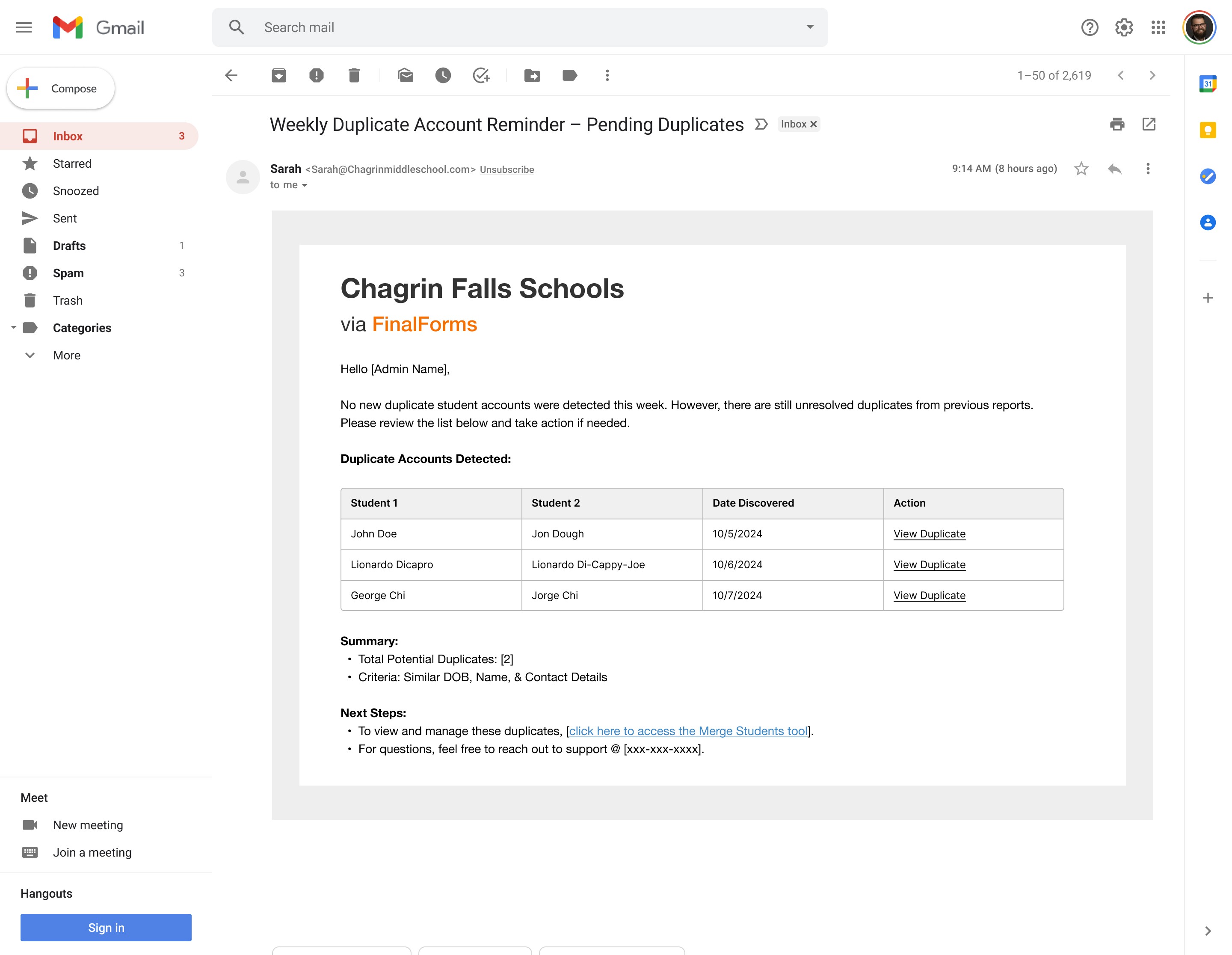
Weekly Email Updates
I went further and designed a weekly automated notification pinging admins with the merge permissions on new duplicate matches. This feature was to keep schools proactively on top of duplicates before they accumulate. Beta feedback would later suggest that some districts may need daily notifications during high-enrollment periods (like during the summer registration months).